
INVOICE-X

INVOICE-X product tour

A walk through the product, in the same order as the deck.

  1. Rounded-square icon artwork used for the INVOICE-X application
    The INVOICE-X app icon.
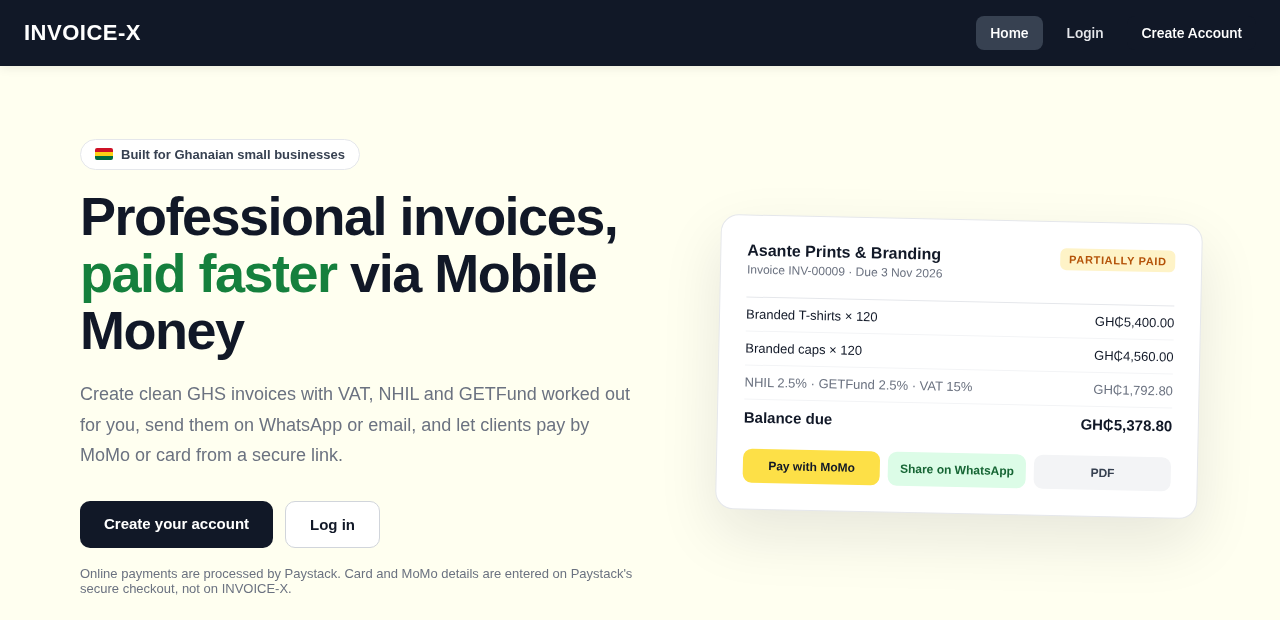
  2. Homepage screenshot placing Mobile Money first, beside a sample invoice with MoMo, WhatsApp and PDF actions
    Landing page built for Ghana, with Mobile Money front and centre and a sample invoice you can pay with MoMo, share on WhatsApp or download as PDF.
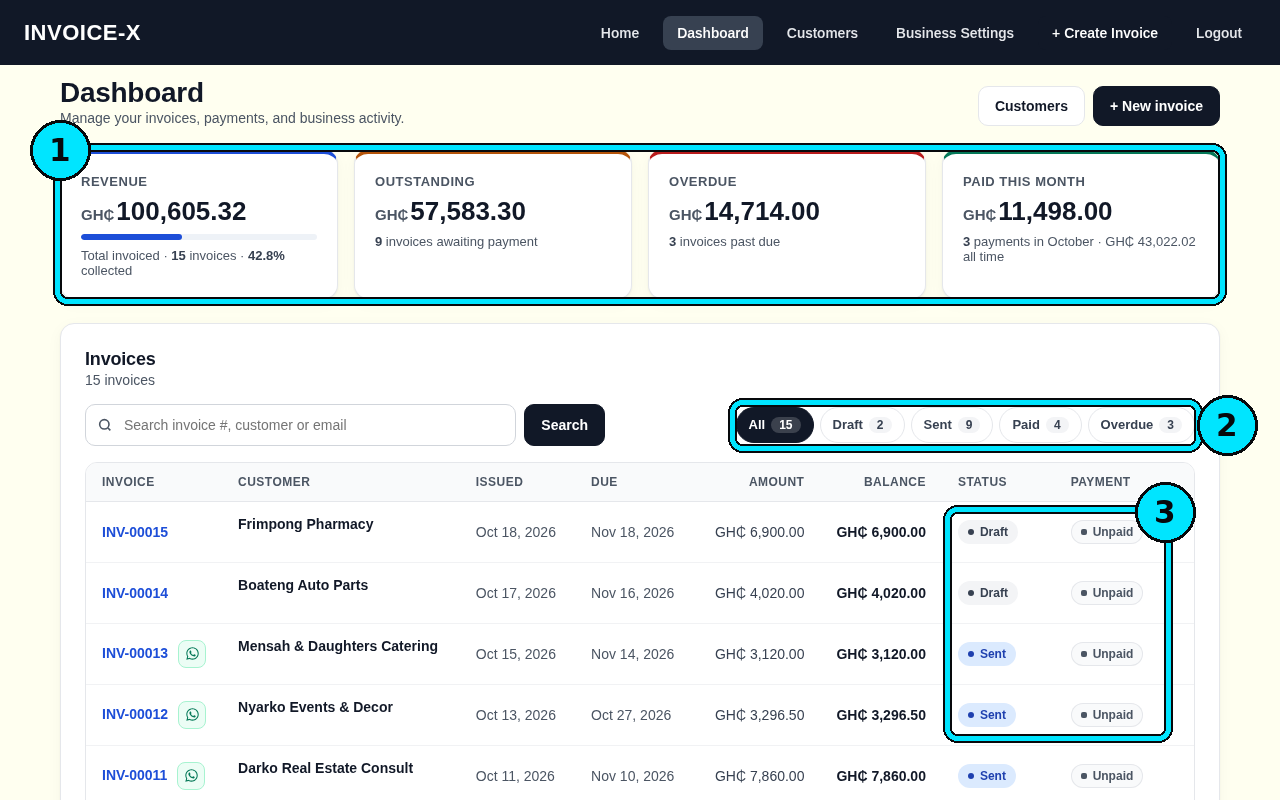
  3. Workspace home screenshot: four money totals and a filterable, searchable list of invoices
    Dashboard with revenue, outstanding, overdue and paid totals plus a searchable invoice list with status filters.
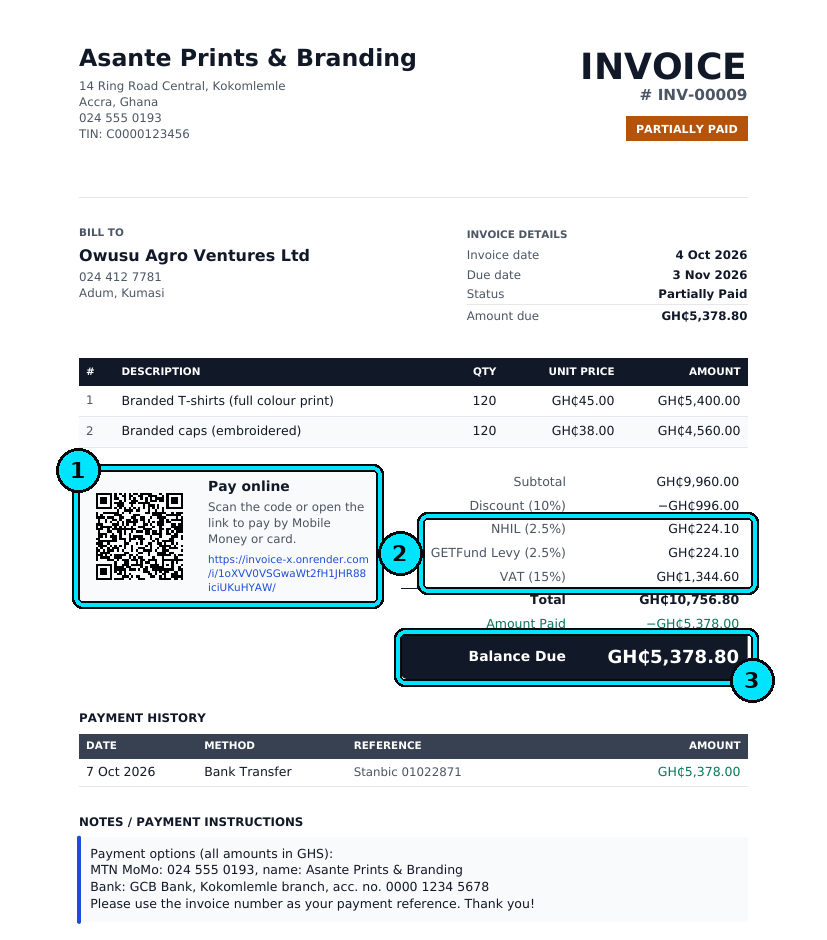
  4. Rendered invoice document showing Ghana tax rows, a partial-payment badge, a QR code and a payment history
    A professional PDF invoice with Ghana tax lines, partial-payment status, a pay-online QR code and payment history.
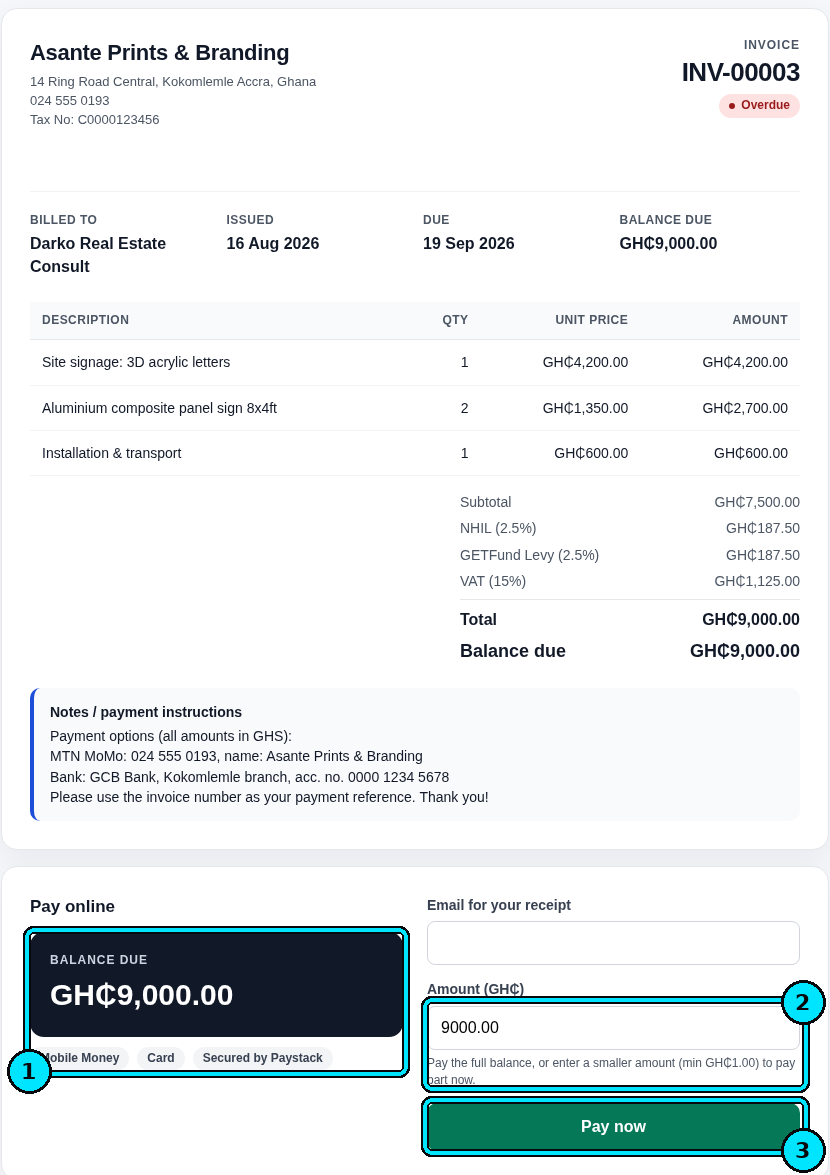
  5. Client payment screen opened from a shared invoice link, ending in an email receipt
    Clients pay online from the invoice link and get an emailed receipt.
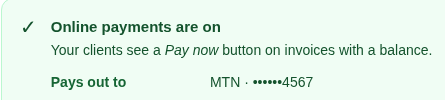
  6. Settings strip naming MTN MoMo as the payout destination
    Online payments pay out to your MTN MoMo number.
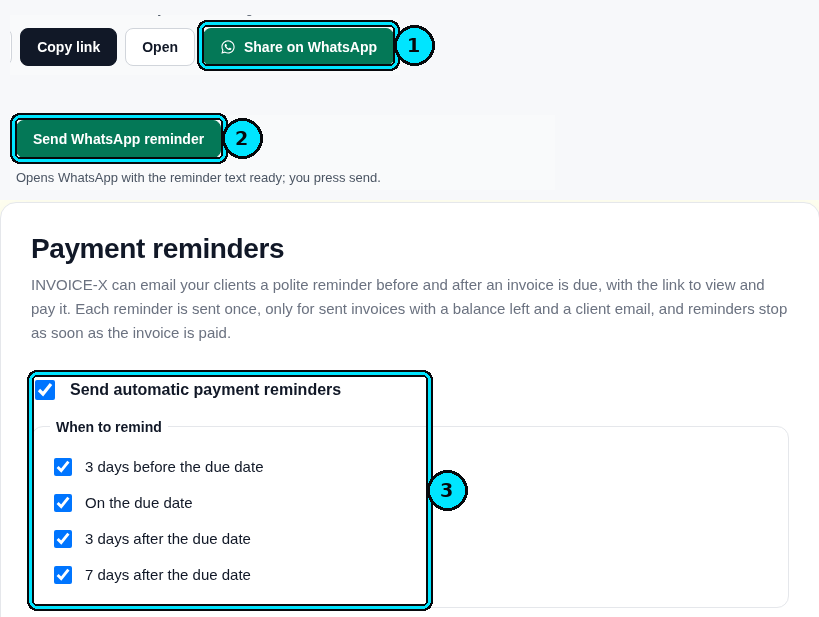
  7. Share controls for WhatsApp plus reminder timing set before, on and after a due date
    Share invoices on WhatsApp and set automatic reminders before, on and after the due date.
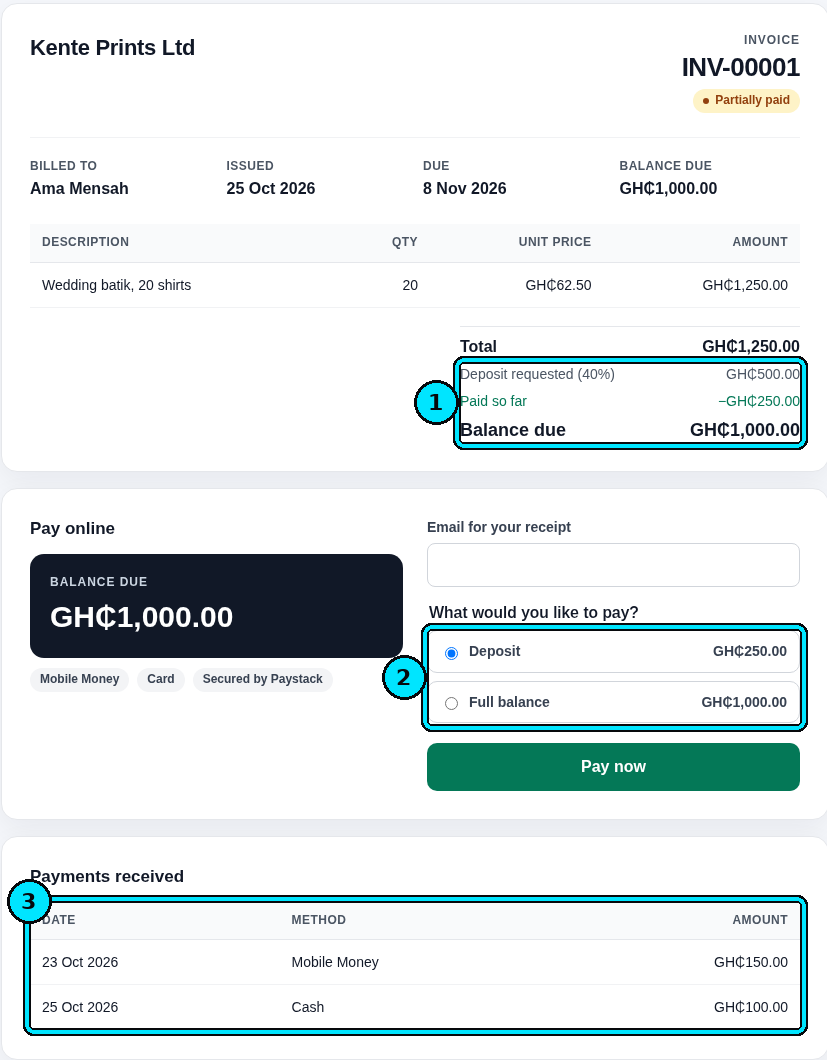
  8. Invoice screen for requesting a deposit and recording each partial payment
    Ask for a deposit and accept partial payments, with every payment tracked.
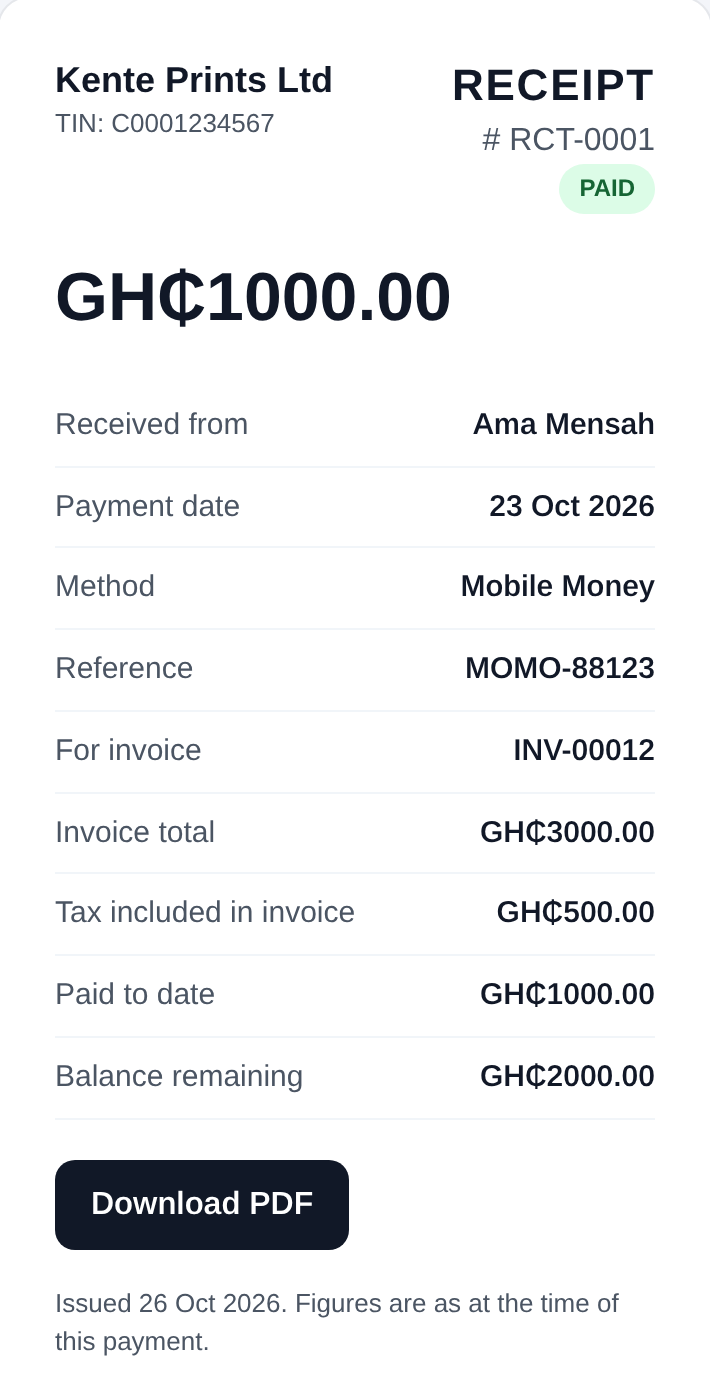
  9. Receipt document listing the amount paid and the balance still outstanding
    Automatic receipts show what was paid and what remains.
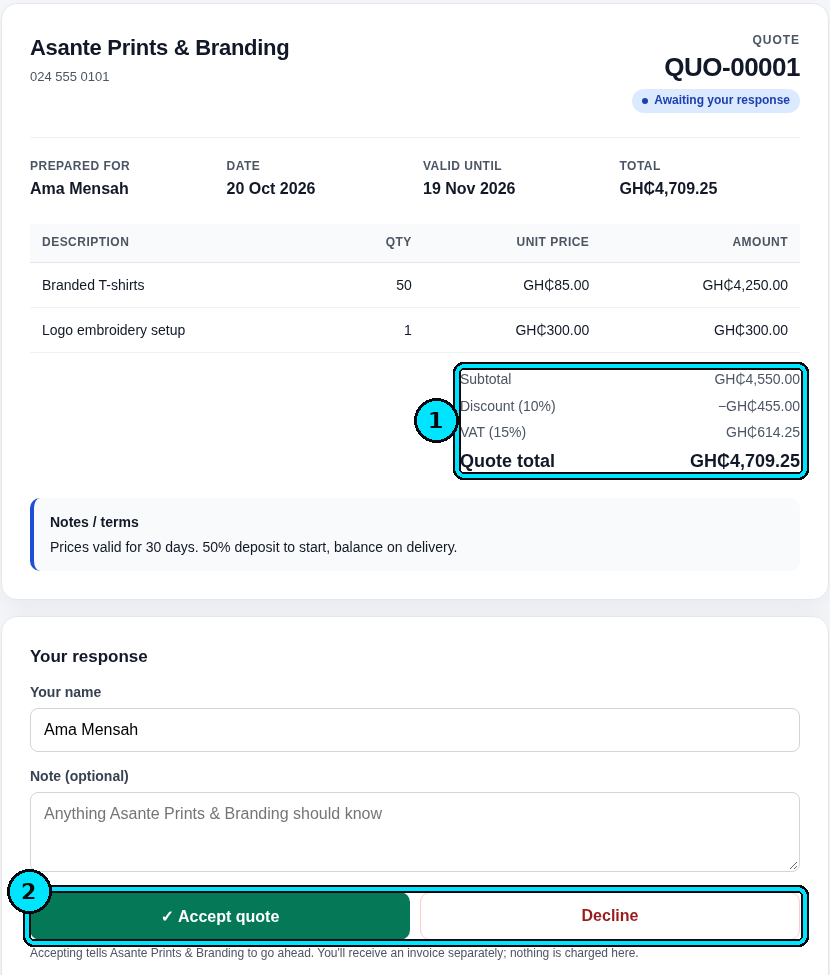
  10. Client-facing quote with accept and decline actions
    Clients can accept or decline quotes online.
  11. Control labelled Convert to invoice, shown next to resend, PDF and edit actions
    Turn an accepted quote into an invoice in one click.
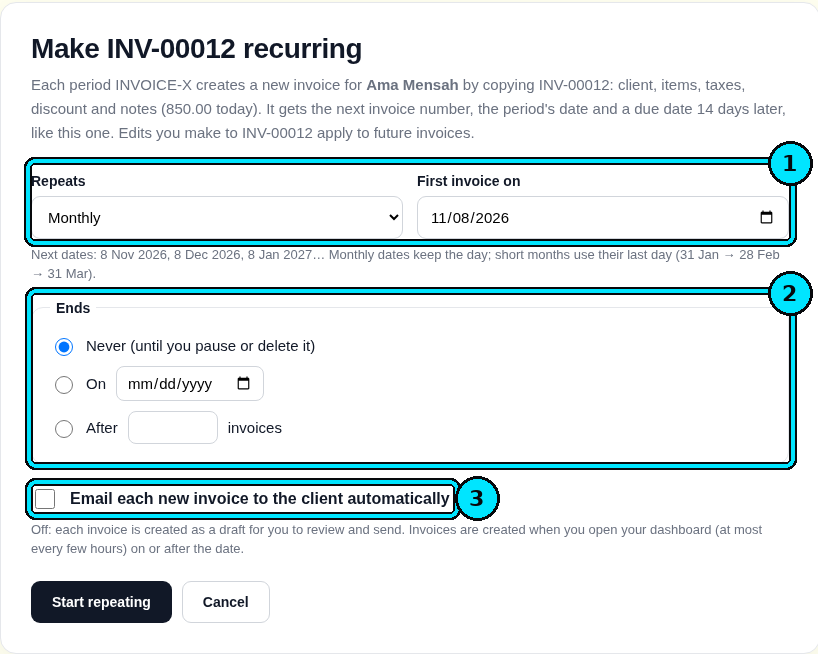
  12. Schedule screen for a monthly invoice, including an optional automatic email
    Recurring invoices on a monthly schedule, with optional auto-email.
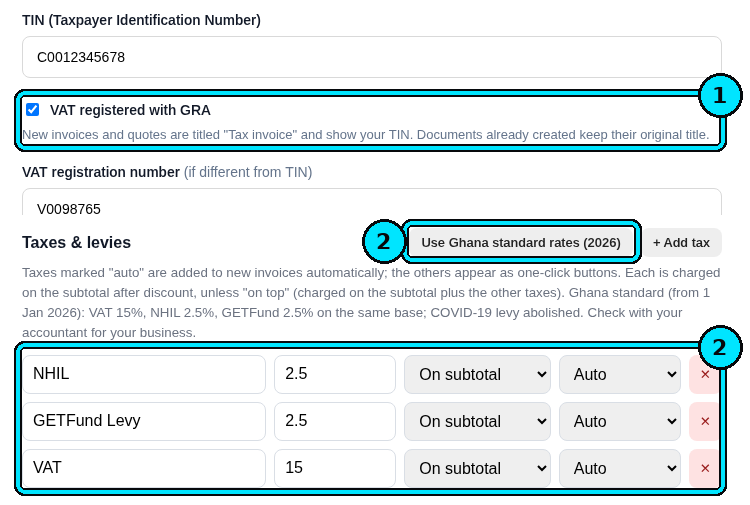
  13. Settings form for a TIN, VAT registration and the NHIL, GETFund and VAT rate fields
    Ghana tax settings: TIN, VAT registration, and NHIL, GETFund and VAT rates.
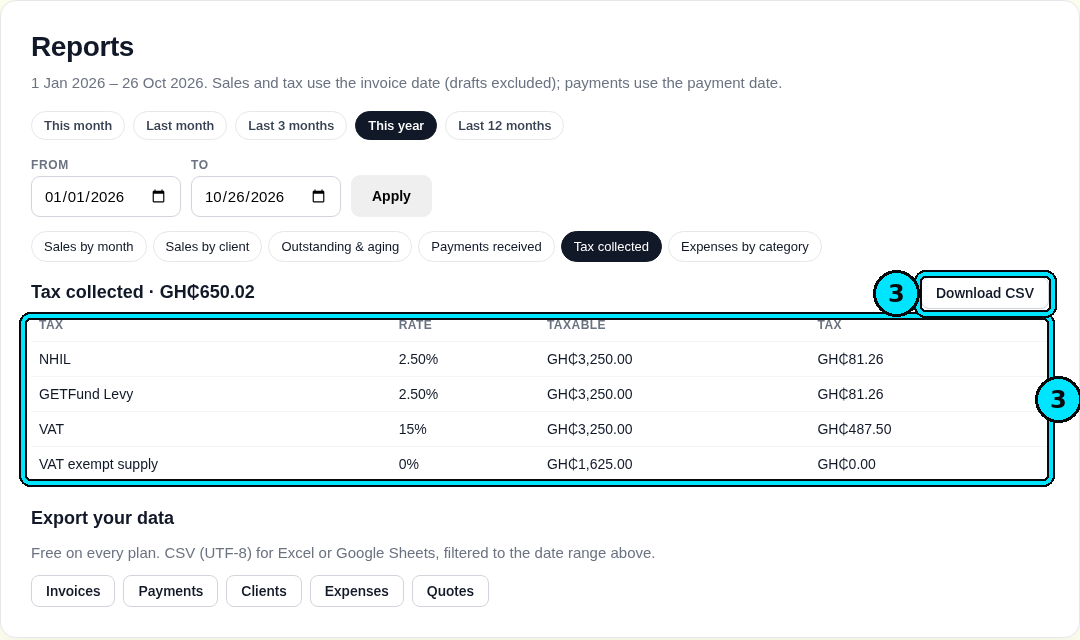
  14. Report view breaking out NHIL, GETFund, VAT and exempt amounts, with a CSV download
    Tax-collected report (NHIL, GETFund, VAT, exempt) with CSV export.
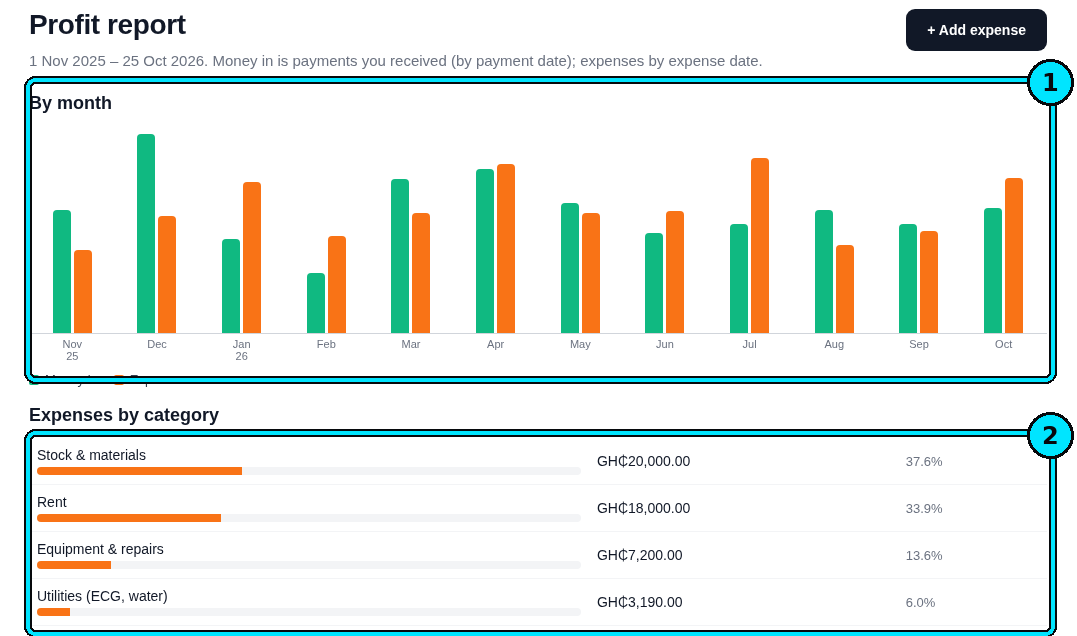
  15. Chart of money in versus expenses, grouped by month and by category
    Profit report comparing money in against expenses by month and category.
  16. Report tabs including sales by month, with a CSV download control
    Sales-by-month and other reports, downloadable as CSV.
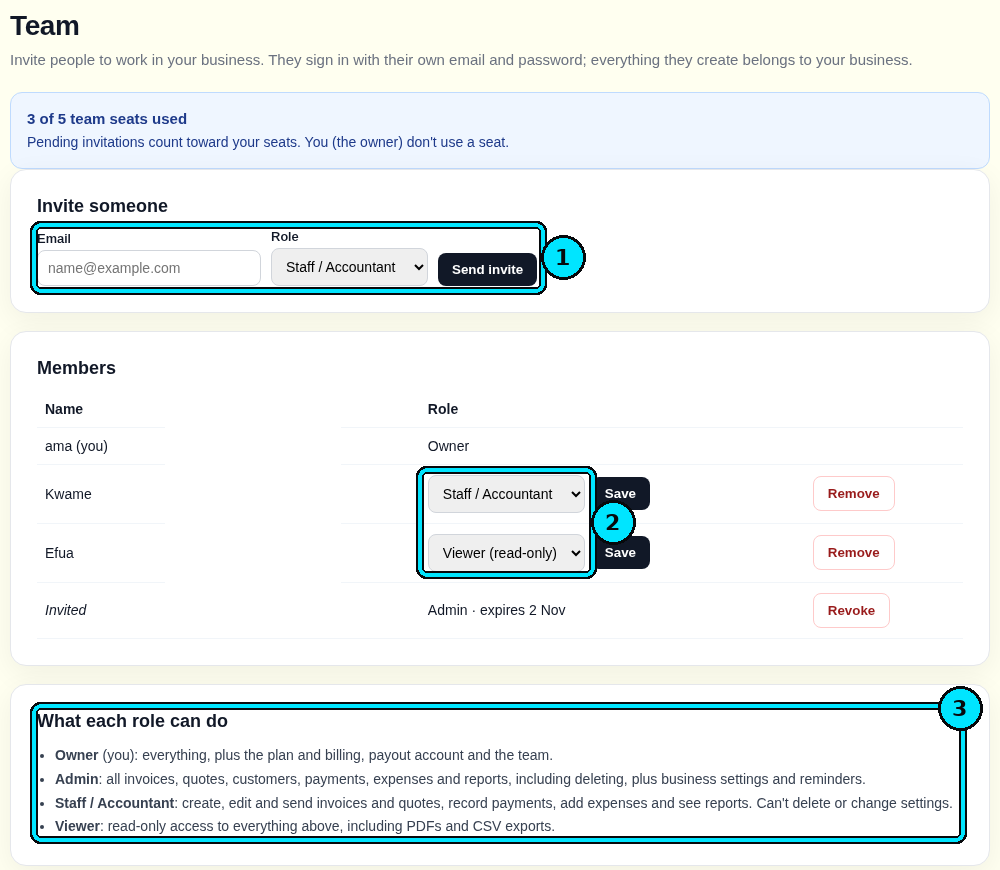
  17. Team invite screen offering Owner, Admin, Staff and Viewer roles
    Invite your team with Owner, Admin, Staff and Viewer roles.
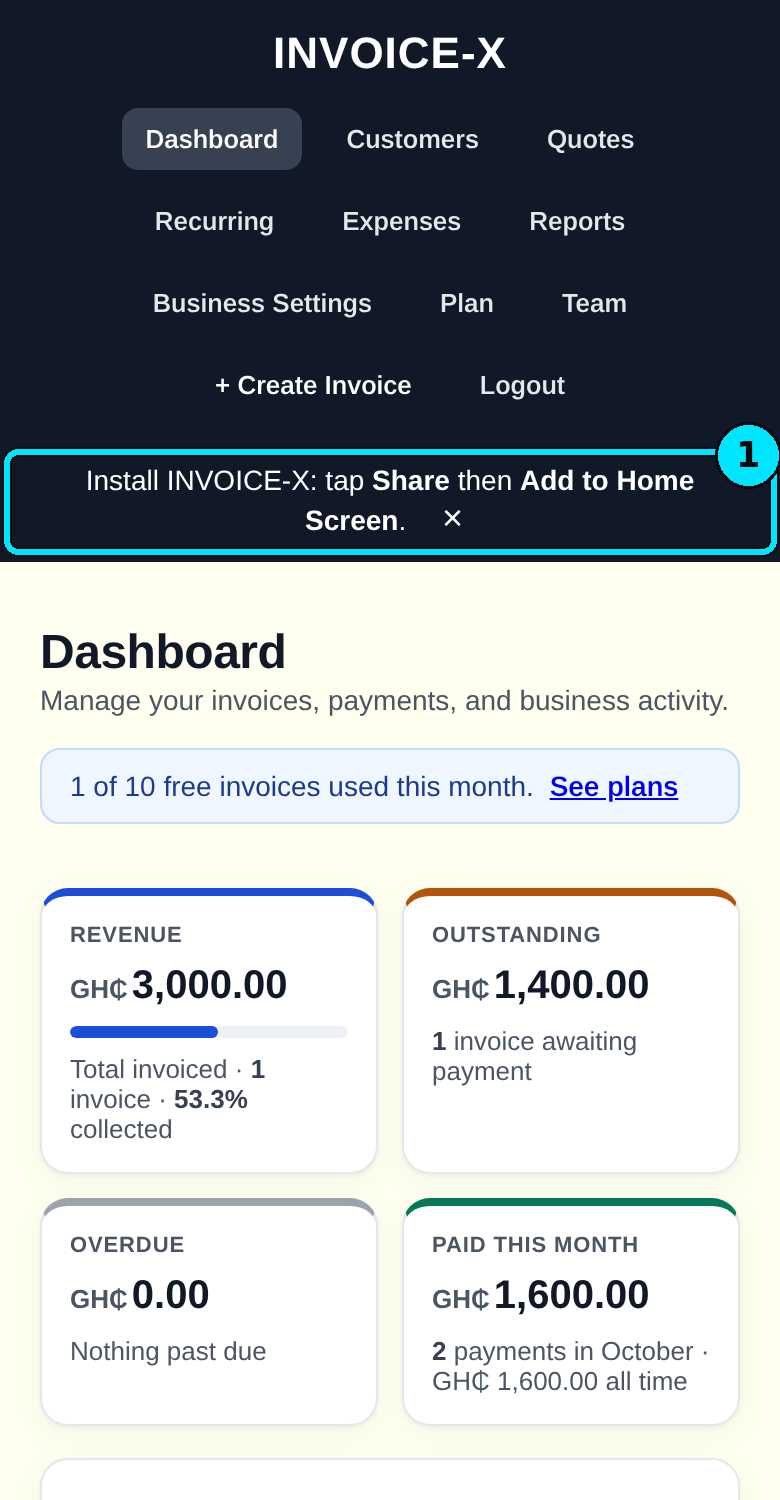
  18. Phone screenshot of the app, including adding it to a home screen
    Works on mobile, and you can install it on your home screen.
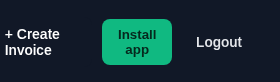
  19. Header control labelled Install app, beside create-invoice and logout
    One-tap Install app button.

Questions about INVOICE-X?

Contact us